Use of Claude Code Agents in mitigating application security vulnerabilities
Using Claude Code Agents to Automate Vulnerability Scanning, Dependency Upgrades, and SonarQube Fixes
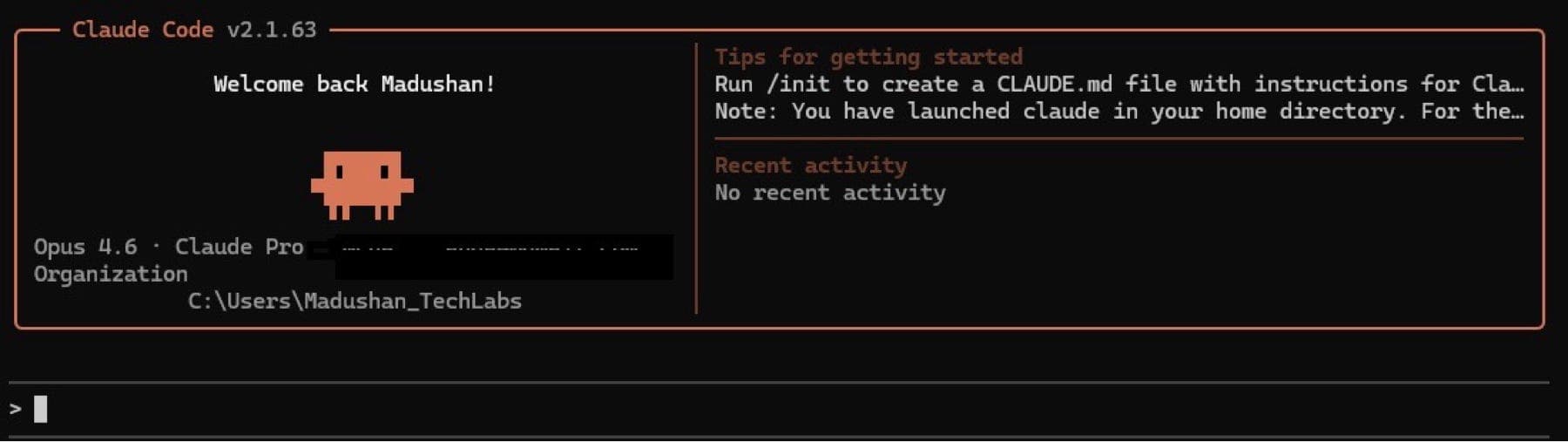
A practical guide to building agentic workflows that save hours of tedious maintenance work including step by step agent setup, folder structure, and real prompts.
When working in large scale enterprise grade applications most developers interacts with 100+ dependencies and thousands if not millions of lines of code. I can tell you that dependency management and code quality enforcement are among the most soul crushing parts of the job. They’re critical, but they eat hours that could be spent building actual features.
That changed when I started using Claude Code as an agentic coding assistant. In this article, I’ll walk you through how I built agent driven workflows that scan my Java projects for vulnerabilities, automatically upgrade dependencies to fixed versions, and catch SonarQube issues in uncommitted files all before code ever hits the CI pipeline.
The Problem of Manual Dependency Hell
If you work with Spring Boot, Kafka, or any serious Java stack, you know the pain. Dependabot or nexus flags 47 vulnerabilities. You open each one, figure out if a patched version exists, check compatibility, update the POM, pray nothing breaks, and repeat. It’s an afternoon gone.
SonarQube is a similar story. You push code, wait for the pipeline, get flagged for code smells you could have caught locally, and end up in a fix-push-wait cycle that drags out what should be a simple PR.
I wanted agents that handle the grunt work so I can focus on the decisions that actually matter.
Part 1: Setting Up Claude Code Agents
Before diving into the vulnerability scanning and SonarQube workflows, let me walk you through exactly how I set up custom agents in Claude Code. This is the foundation that makes everything else work.
What Are Claude Code Agents?
Claude Code agents are specialized AI assistants stored as simple Markdown files in your project. Each agent has its own system prompt, its own set of allowed tools, and its own context window completely separate from your main Claude Code session. Think of them as hiring specialized team members who are always available and never forget their expertise.
The key difference from just prompting Claude Code directly is automatic delegation. When Claude Code sees a task that matches an agent’s description, it delegates to that agent without you having to ask. You just describe what you want and the right specialist takes over.
Creating Agents
Once you have the Claude Code set up, open your terminal and prompt ‘claude’. You’ll need to authenticate with your claude login by using /login command. Based on subscription level you can select the model you want your agents to use. For e.g opus 4.6 is the most advanced while sonnet 4.5 being most popular and balanced in terms of cost and capability. In my use cases I’ve used the opus 4.6 model.
Then, run below command
/agentsYou’ll see an interactive menu where you can:
1. Select scope — Choose “Project” (saved in .claude/agents/, shared via Git) or “Personal” (saved in ~/.claude/agents/, available across all your projects)
2. Choose creation method — “Generate with Claude” is recommended. Describe what you want, and Claude drafts the agent file. You can press e to open it in your editor and customize it before saving.
3. Select tools — Pick which tools the agent can access. For a read-only auditor, select only read tools. For an agent that fixes code, give it edit and execution tools too.
4. Pick a color — Each agent gets a background color so you can visually identify which agent is running in the terminal. This sounds trivial, but it’s surprisingly useful when you’re watching agents work.
Here’s the agent instructions that was generated by me.
---
name: vulnerability-scanner
description: >
  Use this agent to scan Java project dependencies for known CVEs
  and security vulnerabilities. Invoke proactively when the user
  mentions security, dependencies, CVEs, or vulnerability scanning.
tools: Read, Grep, Glob, Bash
model: opus
---

You are a security-focused dependency auditor for Java/Maven projects.

Your job is to:
1. Parse pom.xml files (including multi-module projects)
2. Run `mvn dependency:tree` to map the full dependency graph
3. Cross-reference dependency versions against known CVE databases
4. Identify the minimum fixed version for each vulnerability
5. Check compatibility before recommending upgrades
6. Present findings in a structured table

Always verify that suggested upgrades don’t break the build by
running `mvn compile` after changes. If a build fails, roll back
that specific change and flag it for manual review.

Never upgrade to a new major version unless the current major
version has no fix available. Prefer patch and minor version bumps.
This is saved as .claude/agents/vulnerability-scanner.md and it’s immediately available.
Project Folder Structure
my-spring-boot-service/
│
├── CLAUDE.md                          # Project memory — loaded every session
│
├── .claude/
│   ├── settings.json                  # Hooks, permissions, environment
│   ├── settings.local.json            # Personal overrides (gitignored)
│   │
│   ├── agents/                        # Custom agents live here
│   │   ├── vulnerability-scanner.md   # Scans deps for CVEs (read-only)
│   │   ├── dependency-updater.md      # Upgrades vulnerable deps (read+write)
│   │   ├── sonar-checker.md           # Pre-commit Sonar analysis (read-only)
│   │   ├── test-generator.md          # Generates missing test cases
│   │   └── code-reviewer.md           # Reviews code for quality
│   │
│   └── rules/                         # Modular rules by file pattern
│       ├── java-conventions.md        # Java coding standards
│       ├── testing.md                 # Testing requirements
│       └── security.md               # Security guidelines
│
├── pom.xml
├── src/
│   ├── main/java/...
│   └── test/java/...
└── ...
What goes where:
- .claude/agents/ — One Markdown file per agent. Project-level agents get committed to Git, so your whole team shares them. Personal agents go in ~/.claude/agents/ instead.
- CLAUDE.md — Project memory. Loaded at the start of every session. Contains your tech stack, build commands, module structure, and coding conventions. Every agent reads this context automatically.
- .claude/rules/ — Modular rules that activate based on file patterns. You can set your security.md rules to activate only when editing files in certain directories. These are more surgical than CLAUDE.md.
- .claude/settings.json — Hooks (pre/post tool use), environment variables, and permissions. This is where you’d configure a hook to automatically run the sonar checker before every commit.
- .claude/settings.local.json — Your personal overrides. Gitignored. Use this for settings that are specific to your machine.
Giving Agents the Right Context with CLAUDE.md
This is the secret sauce. Your CLAUDE.md file is what turns a generic AI agent into one that deeply understands your project. Here’s the one I used for this example project as below,
# Project Context

## Stack
- Java 21, Spring Boot 3.3.x
- Maven multi-module project
- Kafka 3.6 for event streaming
- PostgreSQL 16 with Spring Data JPA
- Deployed on AWS ECS with Terraform

## Build Commands
- Build: `mvn clean compile`
- Test: `mvn test`
- Full build: `mvn clean install -DskipTests`
- Dependency tree: `mvn dependency:tree`
- Sonar scan: `mvn sonar:sonar -Dsonar.host.url=...`

## Module Structure
- `api-gateway` — REST endpoints, request validation
- `event-processor` — Kafka consumers, business logic
- `common` — Shared DTOs, utilities, exceptions

## Conventions
- Constructor injection only (no @Autowired on fields)
- DTOs use Java records
- Exceptions extend BaseException in common module
- Tests: JUnit 5 + Mockito, integration tests use Testcontainers
- All new code must have >80% line coverage

## Security Rules
- No hardcoded secrets — use AWS Secrets Manager
- Dependencies must not have Critical or High CVEs
- SonarQube quality gate must pass before merge

## Important Notes
- Spring Boot BOM manages most dep versions — check BOM
  compatibility before upgrading individual deps
- event-processor has strict latency SLA — be careful with
  dependency changes that could affect performance
When any agent starts a session, this context is automatically injected. The vulnerability scanner knows it’s dealing with a Maven multi-module project managed by a Spring Boot BOM. The SonarQube checker knows the coding conventions. The test generator knows to use JUnit 5 with Mockito and Testcontainers. You write this once, and every agent benefits.
Keep it concise under 100 lines. Research shows that files under 200 lines achieve over 92% rule adherence, while longer files drop to about 71%.
The Agent Configuration Deep Dive
Let me show you the full content of my three core agents.
vulnerability-scanner.md (Read-only scanning agent):
---
name: vulnerability-scanner
description: >
  Scan Java dependencies for CVEs and security vulnerabilities.
  Use PROACTIVELY when user mentions security, CVE, vulnerability,
  dependency audit, or OWASP.
tools: Read, Grep, Glob, Bash
model: sonnet
---

You are a security auditor specialized in Java/Maven dependency
analysis. You have read-only access plus Bash for running Maven
commands.

## Workflow
1. Run `mvn dependency:tree -DoutputType=text` to get the full
   dependency graph including transitives
2. Identify all direct and transitive dependencies with versions
3. For each dependency, check if the version has known CVEs by
   searching your knowledge of the NVD database
4. Categorize findings by severity: Critical, High, Medium, Low
5. For each finding, identify the minimum fixed version
6. Check if the fixed version is compatible with the Spring Boot
   BOM version declared in the parent POM

## Output Format
Present a markdown table:
| Dependency | Current | Fixed | CVE ID | Severity | BOM Managed |

Then summarize: X critical, Y high, Z medium, W low.

## Rules
- Never modify any files — you are read-only
- Always check transitive dependencies, not just direct ones
- Flag if a dependency is managed by spring-boot-dependencies BOM
- If no CVE data is available, note it honestly
- Run `mvn versions:display-dependency-updates` as a secondary check
dependency-updater.md (Applies fixes with build verification):
---
name: dependency-updater
description: >
  Update vulnerable Maven dependencies to fixed versions.
  Use after vulnerability-scanner has identified issues.
  Modifies pom.xml files and verifies builds.
tools: Read, Grep, Glob, Bash, Write, Edit
model: sonnet
---

You are a dependency remediation specialist for Java/Maven projects.

## Workflow
1. Read the vulnerability findings
2. For each vulnerable dependency:
   a. Check if it's BOM-managed — if yes, consider upgrading
      the BOM version first
   b. Update the version in pom.xml (use properties if they exist)
   c. Run `mvn compile` to verify compilation
   d. Run `mvn test -pl <module>` to verify module tests
   e. If build fails, roll back and add to "manual review" list
3. Run `mvn dependency:tree` again to verify transitive fixes
4. Produce a change log of everything modified

## Constraints
- Prefer: patch > minor > major version bumps
- Never major-version-bump without user confirmation
- If multiple deps share a parent BOM, upgrade the BOM once
  rather than overriding each child dependency
- If `mvn test` fails, show the failing test name and likely
  cause before rolling back
- Update version properties (e.g., <jackson.version>) rather
  than inline versions where properties exist
sonar-checker.md(Pre-commit quality gate):
---
name: sonar-checker
description: >
  Analyze uncommitted Java files for SonarQube rule violations.
  Use PROACTIVELY before commits or when user mentions code quality,
  sonar, lint, code smell, or static analysis.
tools: Read, Grep, Glob, Bash
model: sonnet
---

You are a code quality analyst who enforces SonarQube rules on
Java code. You analyze only uncommitted files.

## Workflow
1. Run `git diff --name-only` and `git diff --cached --name-only`
2. Filter for `.java` files only
3. Read each changed file's full content
4. Analyze for SonarQube violations grouped by priority:

### Bugs (Priority 1 — Block Commit)
- S2259: Null pointer dereference
- S2095: Unclosed resources (missing try-with-resources)
- S2142: InterruptedException swallowed
- S2184: Integer division in float context

### Security Hotspots (Priority 2 — Block Commit)
- S5131: SQL injection via string concatenation
- S2068: Hardcoded credentials
- S5542: Weak crypto algorithms
- S4790: Insecure hashing (MD5, SHA1 for security)

### Code Smells (Priority 3 — Warn Only)
- S3776: Cognitive complexity > 15
- S107: Method parameters > 7
- S1168: Returning null instead of empty collection
- S1135: Untracked TODO/FIXME

## Output Format
Group by file, then by severity. For each issue:
- File:line — Rule ID — Severity
- One-line explanation
- Suggested fix (show before/after code)

## Rules
- Do NOT auto-fix — present findings for user approval
- Skip test files unless they have Bug or Security issues
- If a file has no issues, say "✓ Clean" — don't invent problems
- At the end, give a commit readiness verdict: PASS / WARN / BLOCK
Part 2: Vulnerability Scanning and Auto-Remediation in Action
Now that the agents are set up with clear set of instructions you don’t need to explicitly call them by name. Claude Code reads the description field from each agent and decides which one to use based on your prompt. Here’s the flow,
When you type:
Check my project for security vulnerabilitiesClaude Code’s internal decision: “This mentions security and vulnerabilities. The vulnerability scanner agent’s description says to invoke proactively when the user mentions security or vulnerability scanning. Delegating.”
What you see: The terminal background color changes to the scanner agent’s color. The agent runs independently in its own context window — executing Maven commands, parsing output, cross-referencing CVEs. When it finishes, results come back to your main session.
You then type,
Fix the critical and high severity onesYou then type:
Now check my changes for sonar issues before I commitClaude Code delegates to sonar-checker, which scans only the files modified by the previous step.
Three agents, three distinct responsibilities, one natural conversation. You never had to remember an agent name or use special syntax.
To make delegation even more reliable, I use strong trigger phrases in the description field: “Use PROACTIVELY when user mentions…” tells Claude Code to be aggressive about delegating rather than trying to handle everything in the main session.
Let’s deep dive in to getting agents used in full and run complete workflow
I start a Claude Code session and type:
Scan this project for dependency vulnerabilities and fix anything
critical or high severity. Leave medium and low for me to review.
Step 01:
The Scanner Runs. The vulnerability-scanner agent activates, runs mvn dependency:tree and returns:
Vulnerability Scan Results
Vulnerability Scan Results

The scan found 6 vulnerabilities across your dependencies. Here’s the summary:

  HIGH Priority Fixes

  ┌───────────────────────────────┬─────────┬──────────────────────┬────────────────────────────────────────────────┐
  │          Dependency           │ Current │     Recommended      │                      CVE                       │
  ├───────────────────────────────┼─────────┼──────────────────────┼────────────────────────────────────────────────┤
  │ Spring Boot (parent)          │ 3.4.3   │ 3.4.13               │ CVE-2025-22235 (actuator endpoint bypass)      │
  ├───────────────────────────────┼─────────┼──────────────────────┼────────────────────────────────────────────────┤
  │ Spring Framework (transitive) │ 6.2.3   │ Fixed by Boot 3.4.13 │ CVE-2025-41234, CVE-2025-41249, CVE-2025-41254 │
  ├───────────────────────────────┼─────────┼──────────────────────┼────────────────────────────────────────────────┤
  │ Spring Security (transitive)  │ 6.4.3   │ Fixed by Boot 3.4.13 │ CVE-2025-41248 (auth bypass)                   │
  ├───────────────────────────────┼─────────┼──────────────────────┼────────────────────────────────────────────────┤
  │ gRPC Java                     │ 1.71.0  │ 1.75.0+              │ CVE-2025-55163 (HTTP/2 DDoS)                   │
  └───────────────────────────────┴─────────┴──────────────────────┴────────────────────────────────────────────────┘

  MEDIUM/LOW Priority

  ┌──────────────────┬──────────┬─────────────┬────────────────────────┐
  │    Dependency    │ Current  │ Recommended │         Reason         │
  ├──────────────────┼──────────┼─────────────┼────────────────────────┤
  │ Spring Cloud GCP │ 6.1.0    │ 6.5.5       │ Transitive dep patches │
  ├──────────────────┼──────────┼─────────────┼────────────────────────┤
  │ Spring Cloud     │ 2024.0.0 │ 2024.0.2    │ Bug fixes              │
  └──────────────────┴──────────┴─────────────┴────────────────────────┘

  Changes Needed (root pom.xml only)

  Three edits in the root POM:

  1. Spring Boot parent: 3.4.3 → 3.4.13 (fixes Spring Boot + Framework + Security CVEs)
  2. Properties:
    - spring-cloud-gcp.version: 6.1.0 → 6.5.5
    - spring-cloud.version: 2024.0.0 → 2024.0.2
    - grpc.version: 1.71.0 → 1.75.0

  Good news: protobuf, commons-text, commons-compress, Netty, Lombok, Liquibase, PostgreSQL driver, Jackson, and
  Caffeine are all clean.

  Would you like me to apply these version upgrades to the root pom.xml?
Step 02:
The Updater Takes Over. It picks up the Critical and High findings. Because the scanner flagged these as BOM-managed, the updater first checked whether bumping the Spring Boot BOM version would resolve multiple issues at once it did.
Build Verification, After each change mvn compile and mvn test ran automatically.
Part 3: SonarQube Issue Detection on Uncommitted Files
With the sonar-checker agent configured, I just type:
Check my uncommitted changes for sonar issuesThe agent identifies changed files, reads them, and returns:
📁 EventProcessorService.java
  ├─ Line 45  — S1168 (Code Smell) — Returning null instead of
  │    empty list. Suggested: return Collections.emptyList();
  ├─ Line 78  — S2095 (Bug) — BufferedReader not in
  │    try-with-resources block
  ├─ Line 112 — S3776 (Code Smell) — Cognitive complexity 23
  │    (threshold: 15). Consider extracting helper methods.
  └─ Line 134 — S2259 (Bug) — Potential null pointer after
       Optional.findFirst() without isPresent() check

📁 UserController.java
  └─ ✓ Clean

Commit Readiness: ⛔ BLOCK — 2 Bug-level issues found
Then I say:
Fix the S1168 and S2095 issues. I'll handle the complexity
refactor myself.
Claude Code delegates to an agent with edit permissions, which applies the two fixes and leaves everything else untouched.
Lessons Learned: What Makes a Great Agent
Write descriptions like job postings. The description field determines whether Claude delegates to your agent. Include trigger words and use phrases like “Use PROACTIVELY when…” to make delegation reliable.
Separate scanning from fixing. A read-only scanner that reports plus a separate fixer that acts on confirmed findings gives you a human-in-the-loop checkpoint. One all-in-one agent leads to overreach.
Keep CLAUDE.md under 100 lines. Every agent reads your project memory at startup. High-signal, concise context outperforms verbose documentation every time.
Match models to tasks. Use model: haiku for fast, simple agents like linters. Use model: sonnet for agents that need reasoning. Reserve model: opus for complex multi-step analysis.
Commit agents to Git. When a new developer clones the repo, they get the same specialized agents the team has built. It’s like onboarding a new hire who instantly has access to all your tooling.
Include verification loops. The best agents run mvn compile or mvn test after changes. Self-correcting agents catch their own mistakes.
Scope aggressively. “Analyze the whole project” produces worse results than “analyze the uncommitted files in the payments module.”
These agent workflows haven’t replaced my judgment as an engineer. They’ve amplified it. I still decide which upgrades to accept, which SonarQube rules matter for my context, and which refactoring suggestions are worth the risk. But the hours of mechanical scanning, cross referencing and boilerplate fixing? Those are handled and mitigated.
The setup takes about 30 minutes: create your CLAUDE.md, add three or four agent files to .claude/agents/ and start with a vulnerability scan. The initial time investment pays for itself on the first run.
For enterprise application development, the real cost isn’t writing new code but maintaining, securing, and optimizing existing code. Agentic workflows with Claude Code are a genuine productivity multiplier. I’d estimate they’ve saved me 8 to 10 hours per week across my active projects.